Disclosure: This page contains affiliate links. If you buy through them, I may earn a small commission at no extra cost to you. I only recommend gear I'd actually use.
On a big desk, cable clutter is ugly. On a small desk, it's a genuine space problem — a nest of cords steals the surface you can't spare and makes the whole setup feel chaotic. The good news: taming it is cheap, fast, and the single highest-impact upgrade you can make to a tight workspace.
You don't need a fancy system. You need a few well-chosen pieces that get cables off the surface, off the floor, and out of sight. Here are the five that do the most for the least money on a compact desk — from $6 clips to a $30 under-desk tray.
Quick Comparison
| Solution | What It Does | Best For | Price |
|---|---|---|---|
| Under-Desk Cable Tray | Hides power strip + cords | Biggest visual win | $$ |
| Adhesive Cable Clips | Anchors cords to desk edge | Cheapest quick fix | $ |
| Cable Management Box | Conceals the power strip | Hiding the brick | $ |
| Cable Sleeve | Bundles cords into one | Cords running to floor | $ |
| Velcro Cable Ties | Reusable bundling | Tidying everything | $ |
1. Under-Desk Cable Management Tray — Biggest Impact
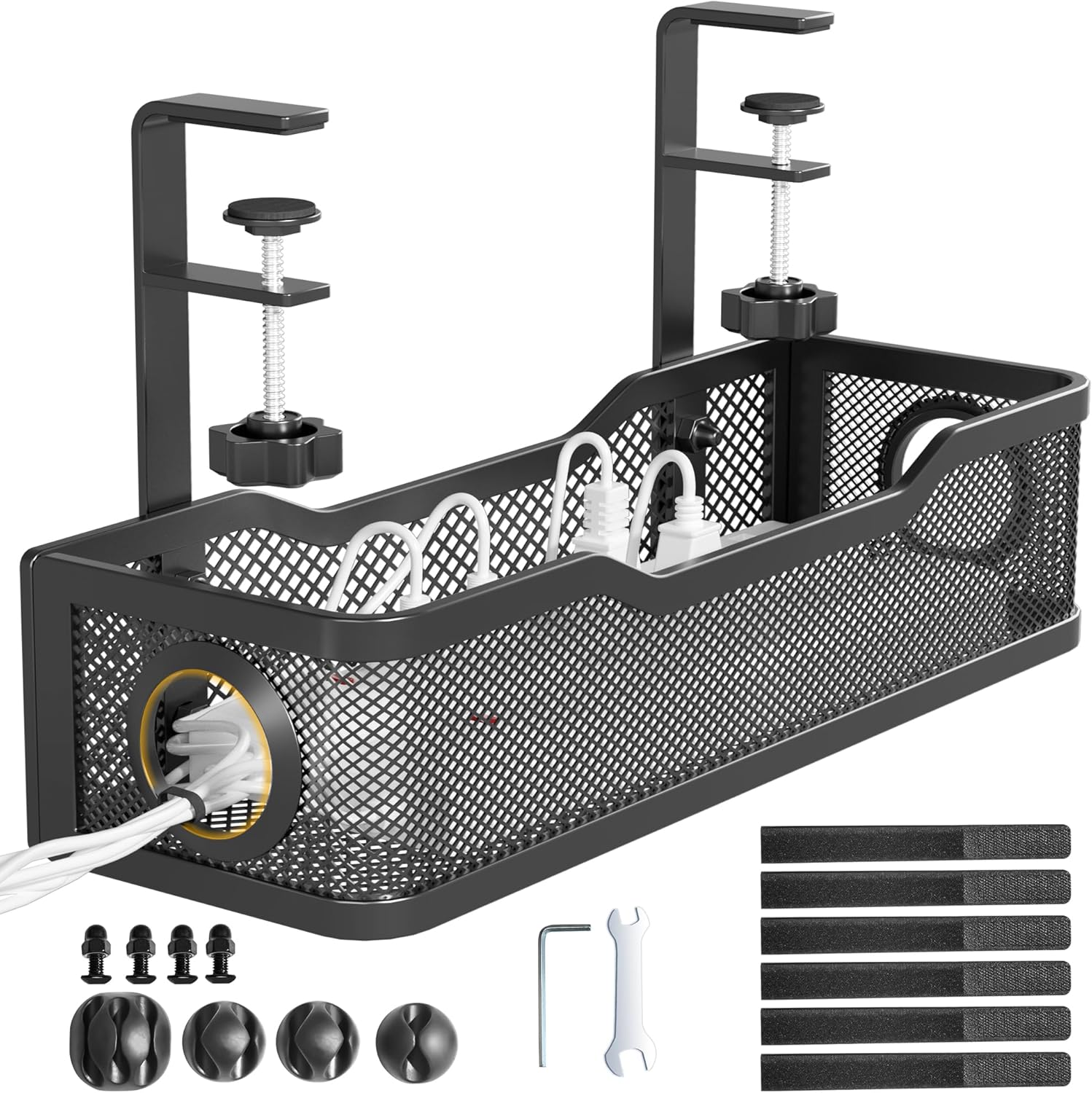
Under-Desk Cable Tray
If you do one thing, do this. A tray mounts under the desk and holds your power strip and the worst of the cable mess up out of sight entirely. On a small desk this is transformative — the surface clears, nothing dangles to the floor, and the whole setup suddenly looks intentional. Best money-to-impact ratio on this list.
What's Good
- Hides power strip + cords completely
- Clears the desk surface and floor
- Huge visual upgrade
Watch Out
- Some models need screws (clamp versions don't)
- Check it fits your desk depth
- You want the single biggest improvement
- Your desk has accessible underside
- Power strip is currently on the floor
- Desk underside is blocked or very shallow
- You rent and can't drill
2. Adhesive Cable Clips — Cheapest Quick Fix

Adhesive Cable Clip Holders
The starter move. These little stick-on clips anchor cords along your desk edge so charging cables and headphone wires stop sliding off and disappearing behind the desk. A pack costs about the price of a coffee and instantly stops the "cord fell on the floor again" annoyance. Everyone with a small desk should own a pack.
What's Good
- Dirt cheap
- No tools, peel and stick
- Stops cables falling behind desk
Watch Out
- Adhesive can lift on textured surfaces
- Best for thin cables
- Cables keep falling off the desk edge
- You want a no-commitment first step
- Cords are thin (USB-C, Lightning, aux)
- Surface is rough or textured
- Cords are thick (power cables)
3. Cable Management Box — Hide the Power Strip

Cable Management Box
If you can't mount a tray, a box is the next best thing. Drop your power strip and the ugly tangle of plugs inside, and it turns into one clean container instead of a visible mess. Great for desks pushed against a wall where the power strip would otherwise sit in plain view.
What's Good
- Hides the power-strip eyesore
- No mounting needed
- Safer-looking, contained cords
Watch Out
- Takes up a small footprint
- Measure your power strip first
- Can't mount a tray (renting, thin desk)
- Power strip sits in plain sight
- Want a no-tools solution
- Power strip is oversized
- You want cables completely hidden
4. Cable Sleeve — Bundle Cords Into One

Neoprene Cable Sleeve
For the cords that run from your desk down to the floor or wall, a wrap-around sleeve gathers them into a single tidy tube. Instead of five dangling wires, you get one clean line. Cheap, takes two minutes, and makes the back of a small desk look dramatically less chaotic.
What's Good
- Turns many cords into one
- Trim to any length
- Cheap and reusable
Watch Out
- Adding a cable later means re-wrapping
- Multiple cords run to the same outlet
- Cords hang visibly down the back
- You want a neat vertical cable run
- You frequently swap gear in and out
- Cords run in different directions
5. Reusable Velcro Cable Ties — Finishing Touch

Velcro Cable Ties (Reusable)
The glue that holds a tidy setup together. Unlike zip ties, these reopen, so you can re-bundle whenever you add or move gear. Use them to coil up slack cable length — the hidden culprit behind most desk clutter. A big pack lasts years and gets used constantly.
What's Good
- Reusable, unlike zip ties
- Tames excess cable length
- Endlessly useful
Watch Out
- Won't hide cords, just tidy them
- Cables have too much slack length
- You swap gear regularly
- You want a reusable system
- You need to hide cables from view entirely
How to Tackle Small-Desk Cables in Order
Step 1 — Bundle the slack. Start with velcro ties and a sleeve to coil up excess length. Half of all "cable clutter" is just too much cord with nowhere to go.
Step 2 — Get the power strip off the desk. This is the big one. A tray (mounted under) or a box (sitting on the floor) hides the single ugliest part of any setup.
Step 3 — Anchor what's left. Use adhesive clips to keep your everyday cables — charger, headphones — within reach and off the floor.
Do those three in order and even the most chaotic small desk looks clean in under half an hour, for around $40 total.
Frequently Asked Questions
What's the single best cable management buy for a small desk?
An under-desk cable tray. It hides the power strip and the bulk of the mess in one move, which clears both your surface and the floor — the biggest visual win for the money.
How do I manage cables without drilling holes?
Use clamp-on trays (no screws), a floor-standing cable box, adhesive clips, and velcro ties. You can get a fully tidy setup without a single hole in the desk or wall.
How much should cable management cost?
You can dramatically improve a small desk for under $40 total. Clips and ties are under $10 each; a tray or box is $15–30.
The Bottom Line
Start with an under-desk cable tray to hide the power strip — it's the highest-impact fix. Add adhesive clips and velcro ties for everyday tidiness, and a cable box if mounting a tray isn't an option. For under $40 you'll reclaim space you didn't know you had.